
Clients’ brief
Create a virtual training simulation for laptops/desktops where teams with medical professionals can practice effective Closed-Loop Communication (CLC) virtually with the use of an online patient.
About medical training simulation
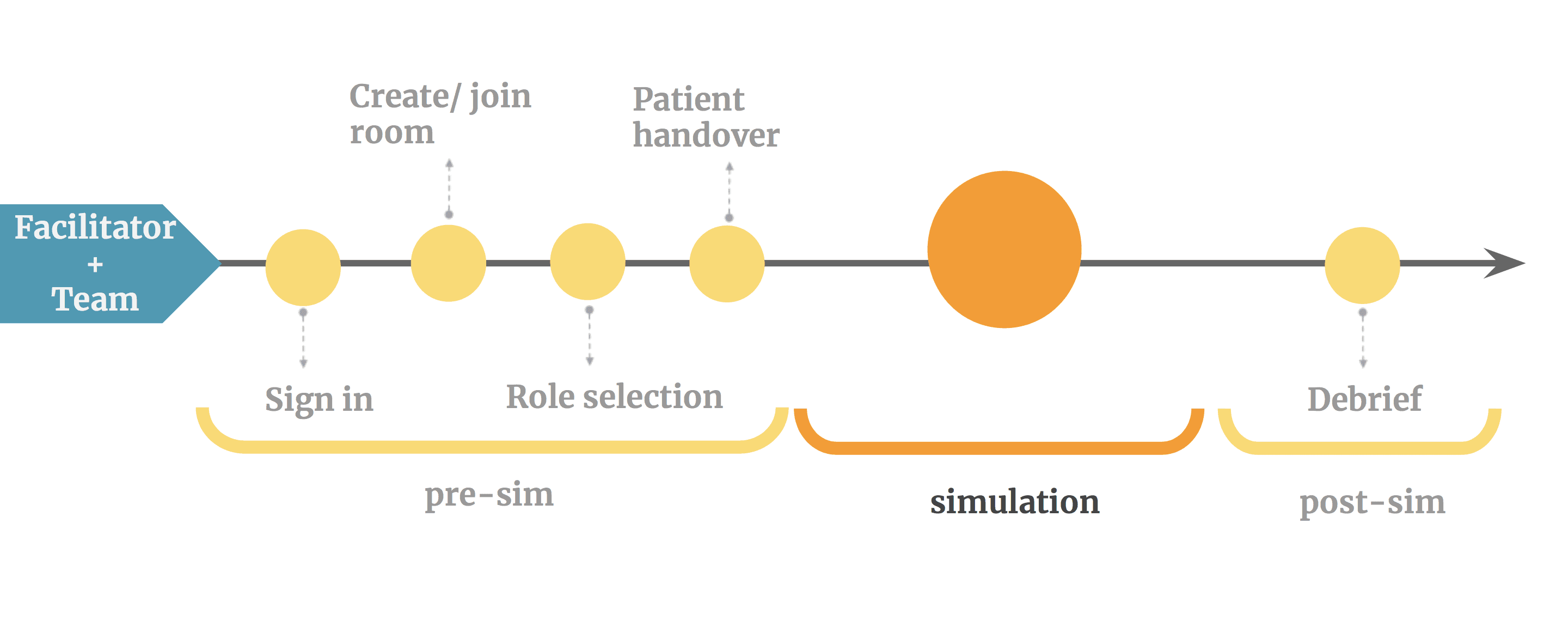
A general educational medical simulation comprises of three stages: pre-simulation, training and debrief session. During the pre-sim phase, facilitator will have a patient handover to the team which is about the patient condition and brief introduction about the illness. And then the team begins the medical simulation training. Approximately, a medical team has five to six team members and there is a facilitator who manages the scenario.
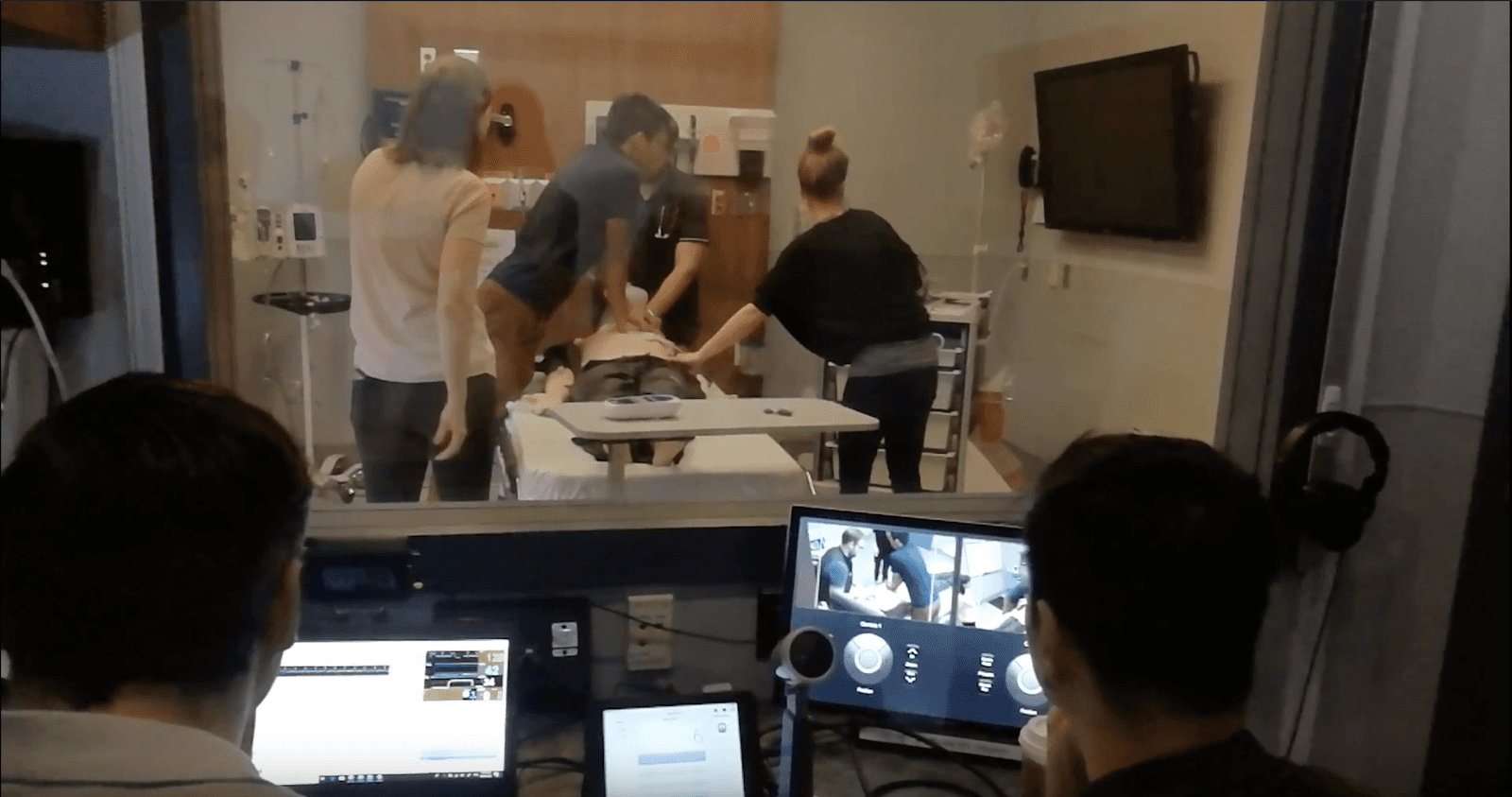
Communication problem often occurs during the training phase when team collaboration and coordination needed most. An ineffective communication may extend time for saving patient or even cause error during surgery which can endanger patient’s life.[/vc_column_text][vc_column_text]
Define the problem
How to build a cyberspace simulation to reduce communication problem in a team medical training session?
CyberPatientER” is a 3D simulation that emphasizes the practice of effective team communication. Unlike the competition, CyberPatientER offers an online multiplayer simulation that prioritizes voice chat to practice effective communication while completing various actions in an ER setting.
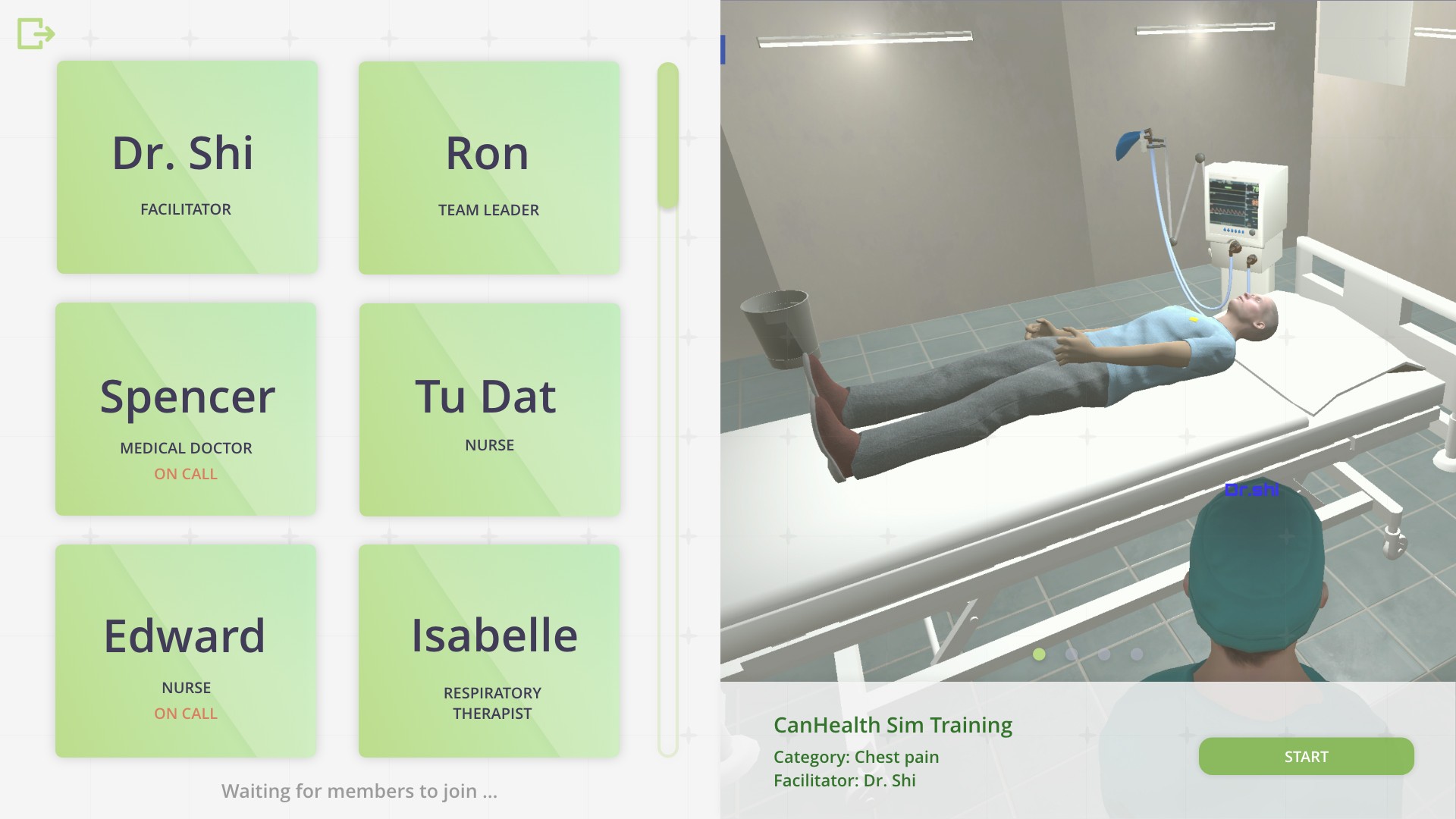
In the role selection page, all of the users’ microphones are activated and the facilitator can assign roles to each member vocally. Each team member can choose the role based on what the facilitator said.
On the right side, there is a closed-loop communication video created for future implementation. When all team members enter the role selection room, under the guidance of the facilitator, they will watch the CLC tutorial together. After that, they will choose their role based on the team vocal discussion.
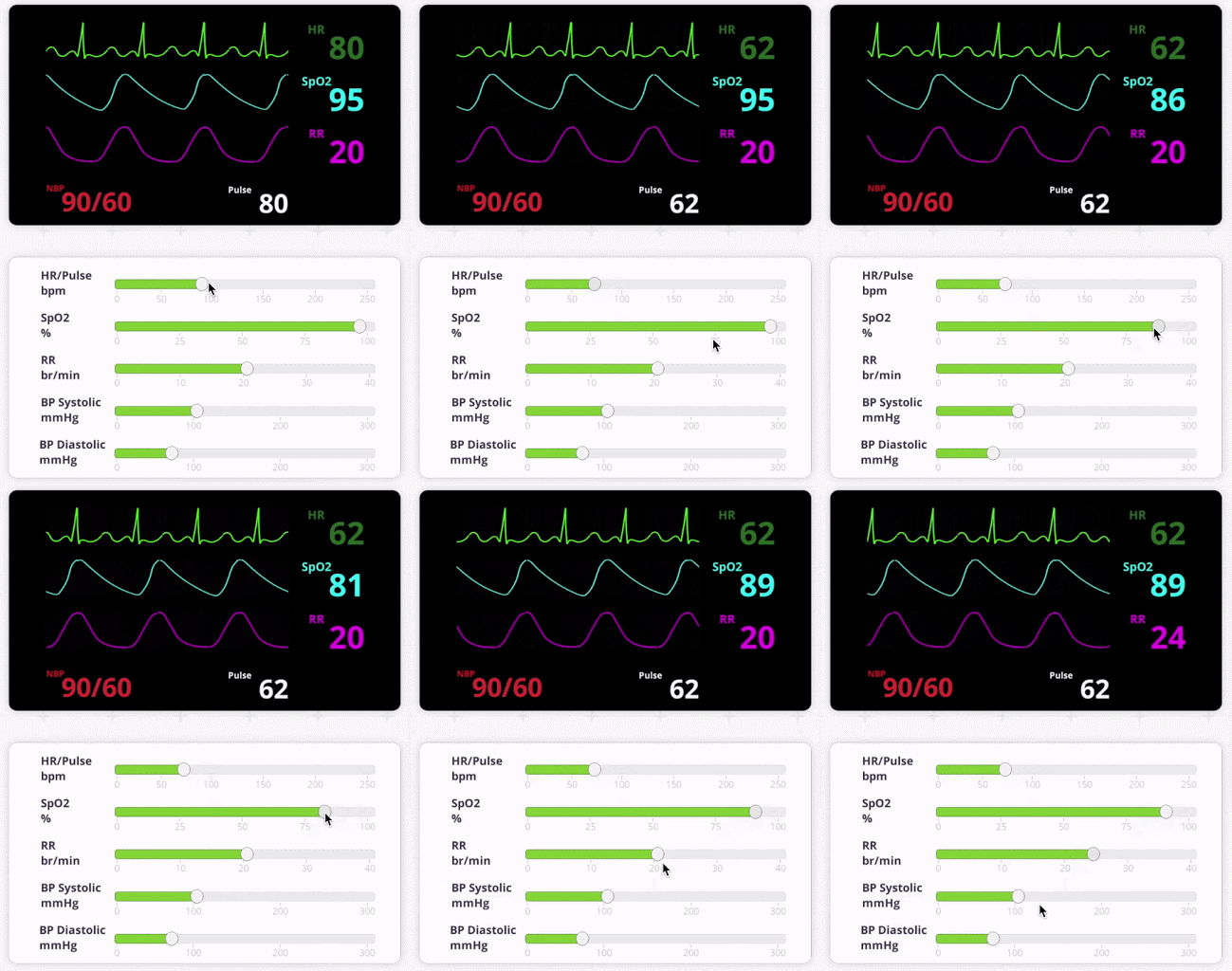
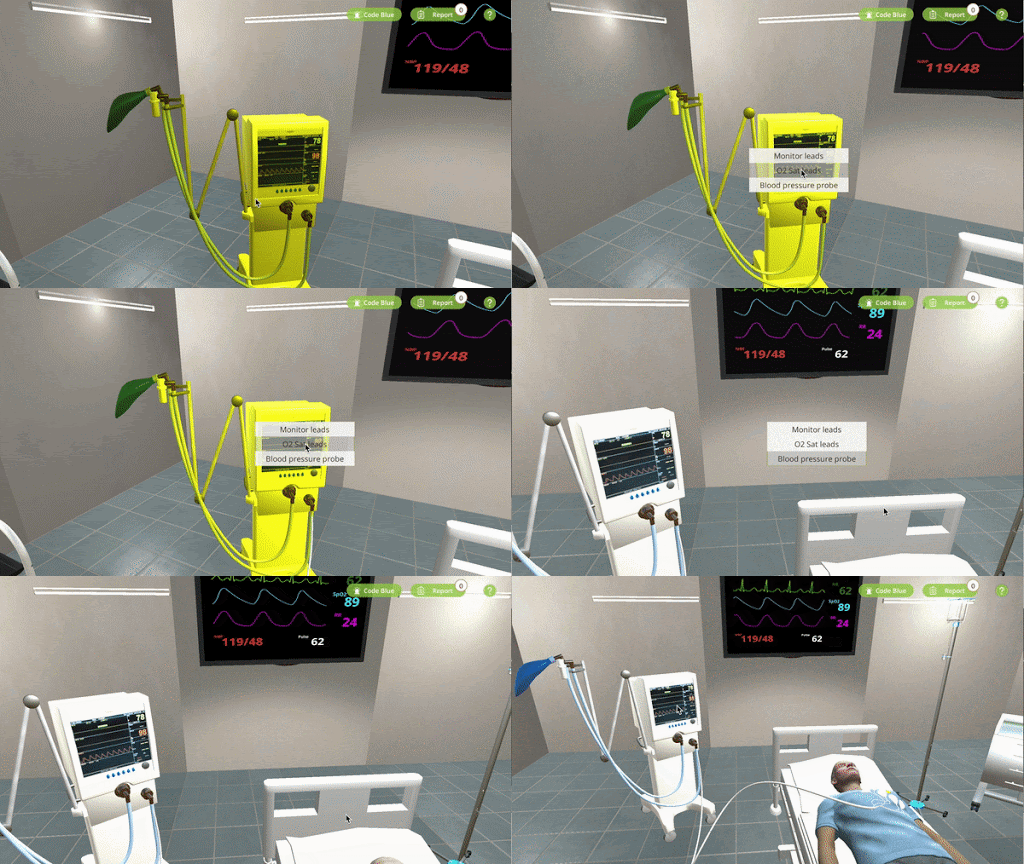
As for the simulation phase, there are two types of screens: Facilitator and team member screen which are for the sake of distinct role purpose.
Facilitator
- adjustable vitals
Team member
- Multiplayer and instant online communication
Debrief
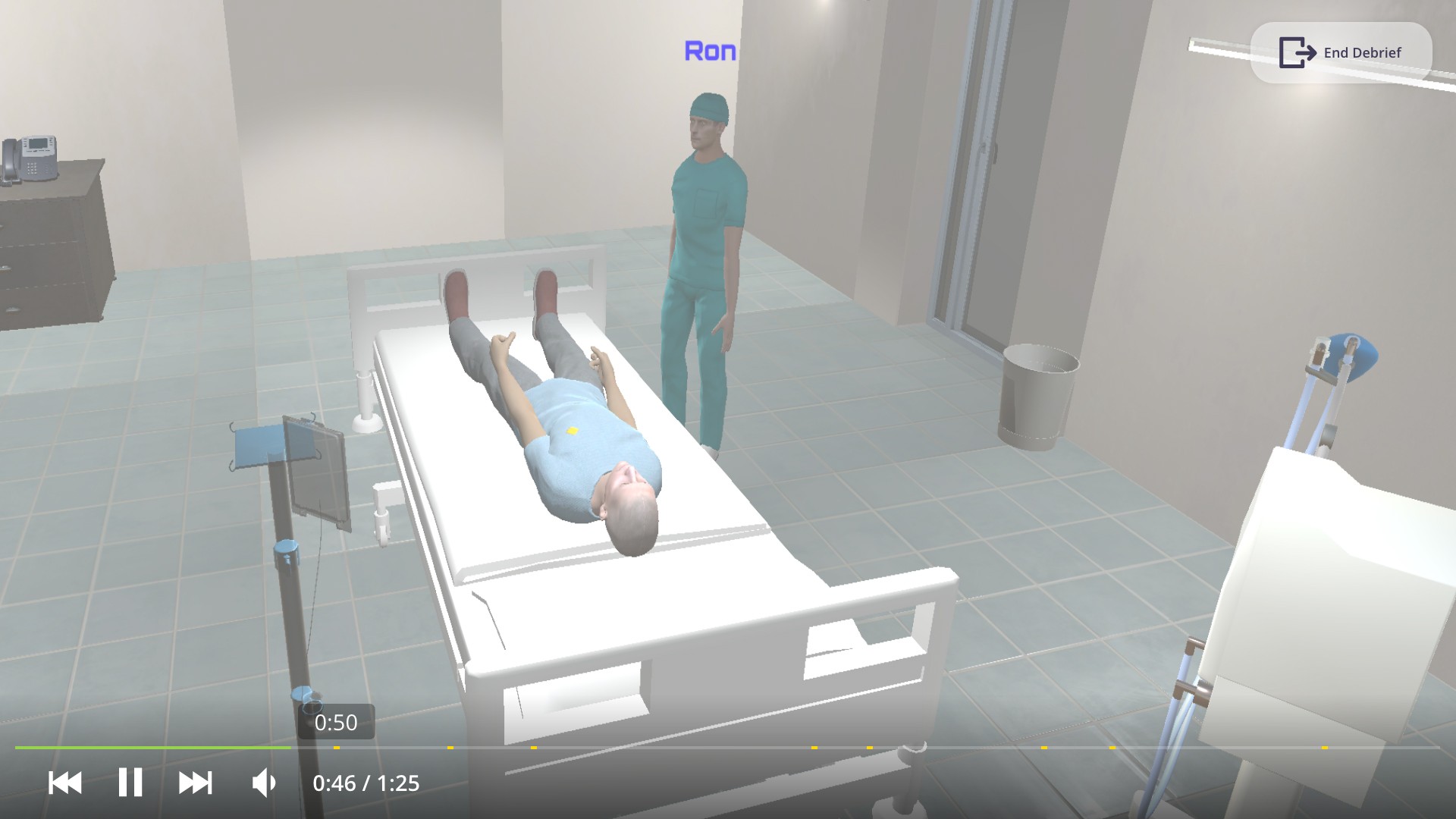
After the team finishes the simulation, they will go to the debrief session together with the facilitator. Please be mindful that for this part, all the assets can be found in the assets folder, as it hasn’t been implemented into the build yet. Theoretically, in the debrief screen, there will be a full-screen video displayed which is a recording back in the simulation. There will be several spots highlighted in the timeline, which shows the bookmark the facilitator booked before. Based on the bookmark, the team member can jump to the exact time to discuss issues or things to work on that the facilitator has flagged.
How we get there
One of the problems that came up several times during brainstorming sessions was how to combine the interactions in the application with the focus on efficient communication but in a way that is realistic.
In a realistic situation, a sense of urgency and real-life stress is added on to the emergency situation which impacts communication. There were many interesting feature ideas but the team had to make sure that they were serving a purpose and replicating what real simulations are like.
Reframe the challenge
Build effective communication system
Create a realistic 3d environment
User case
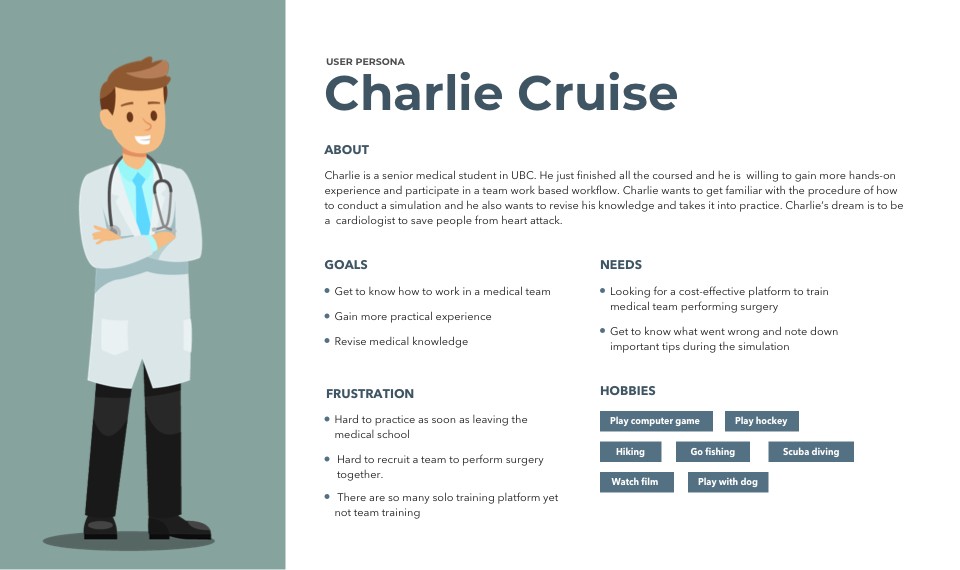
Persona
Scenario
Charlie just got a message from his mentor says that their lab registered a time to practice heart surgery with some medical student from Japan using Cyberpatient ER.
User Journey
Wireframing and prototyping
As our final goal is to build a 3d environment of emergency room, I facilitated the team to use Lego to build our first a few round of low-fidelity prototype in terms of quick user test and iterative design.
(Team leader POV featured demo)
(Team member POV featured demo)
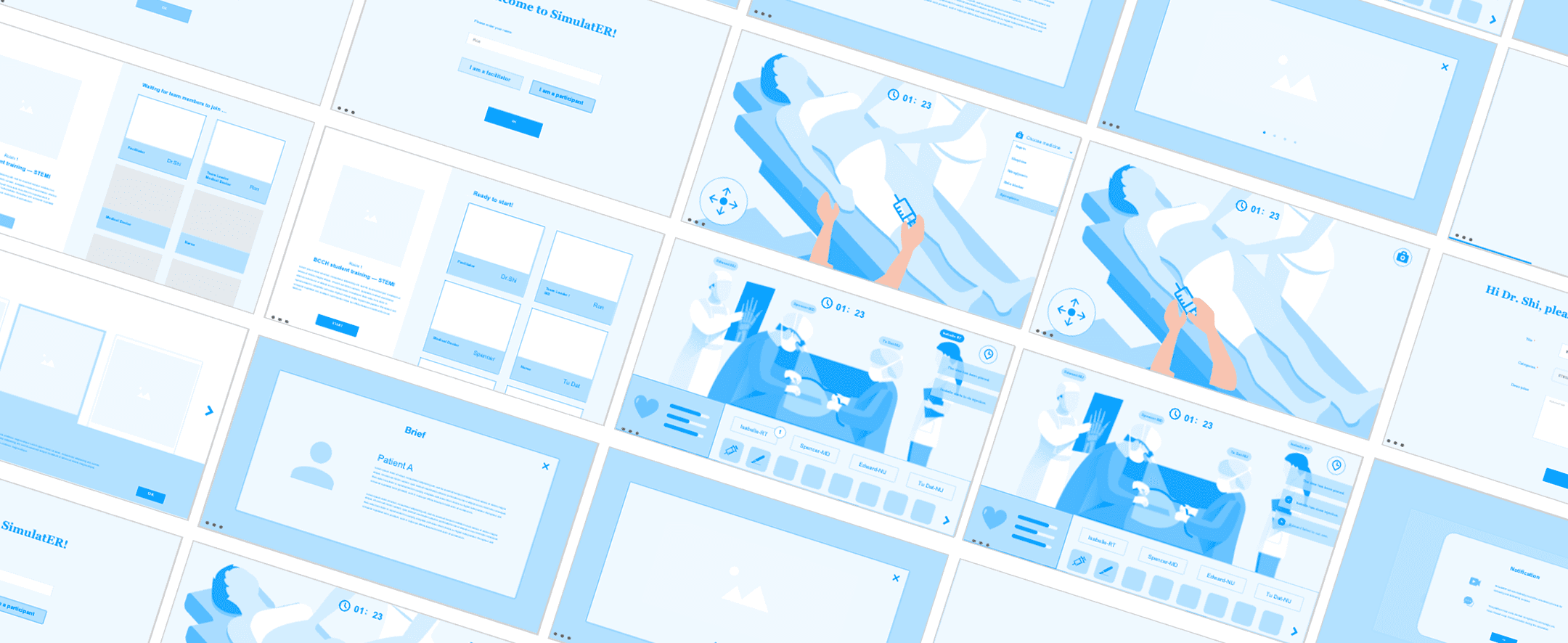
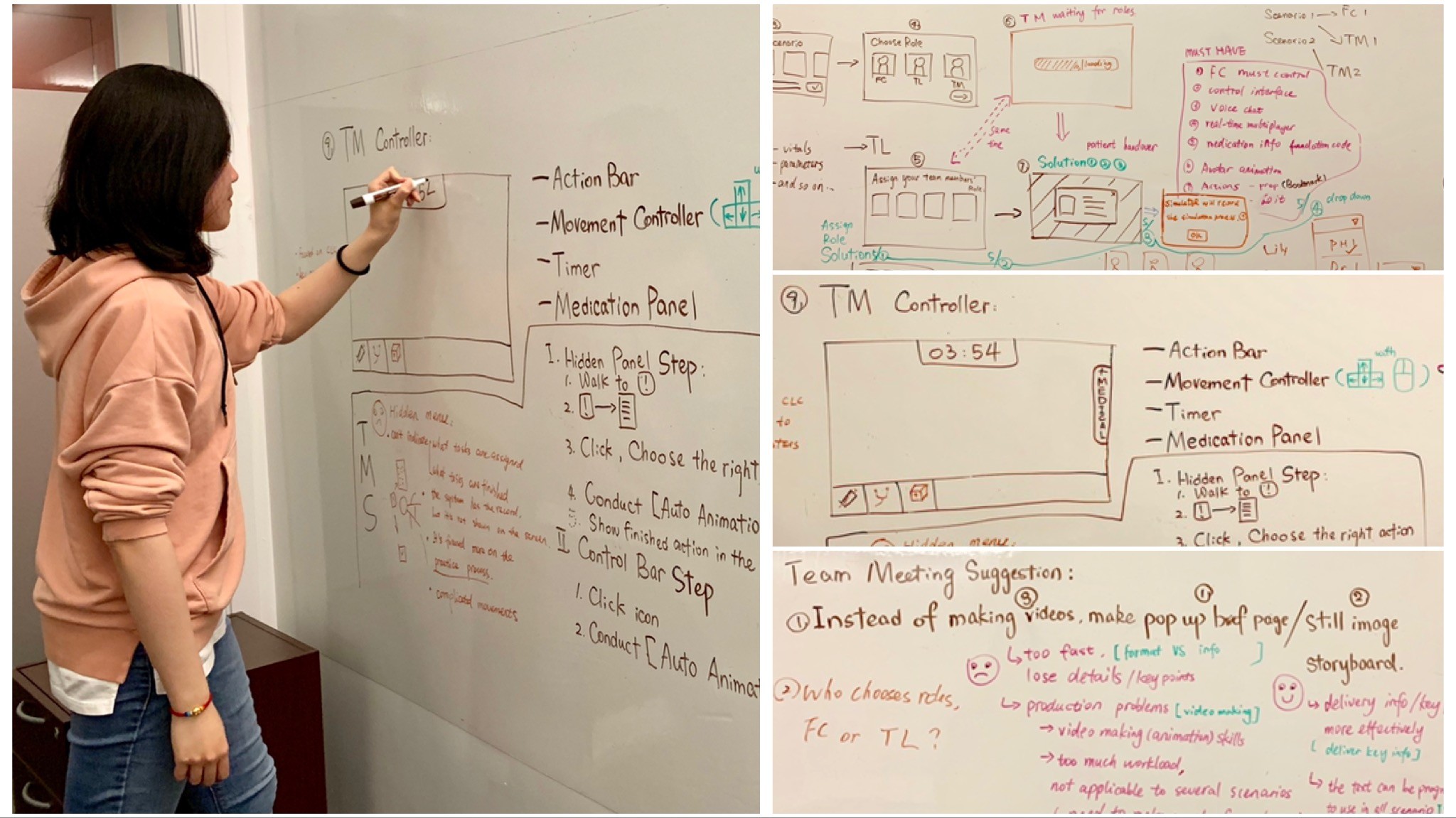
Then, we mapped out the user flow and high fidelity prototype for Team leader/member and facilitator.
Evaluation and iteration
Usability test
The aims for the evaluation are:
- To identify whether there is usability issues in our latest build
- To assess the learnability of the platform
In order to test out the usability and learnability, we observed and recorded the screen of 15 medical students while using our application.
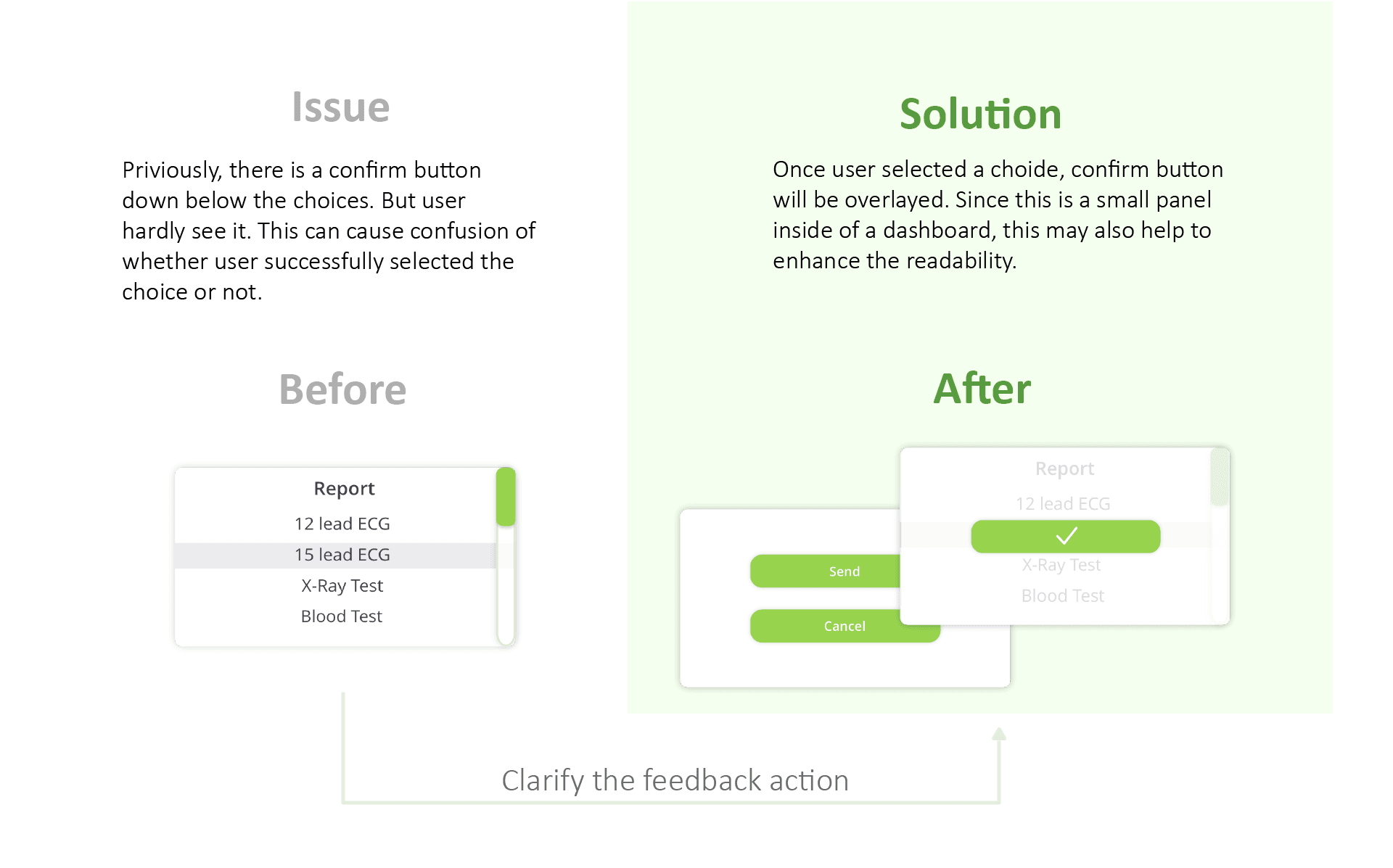
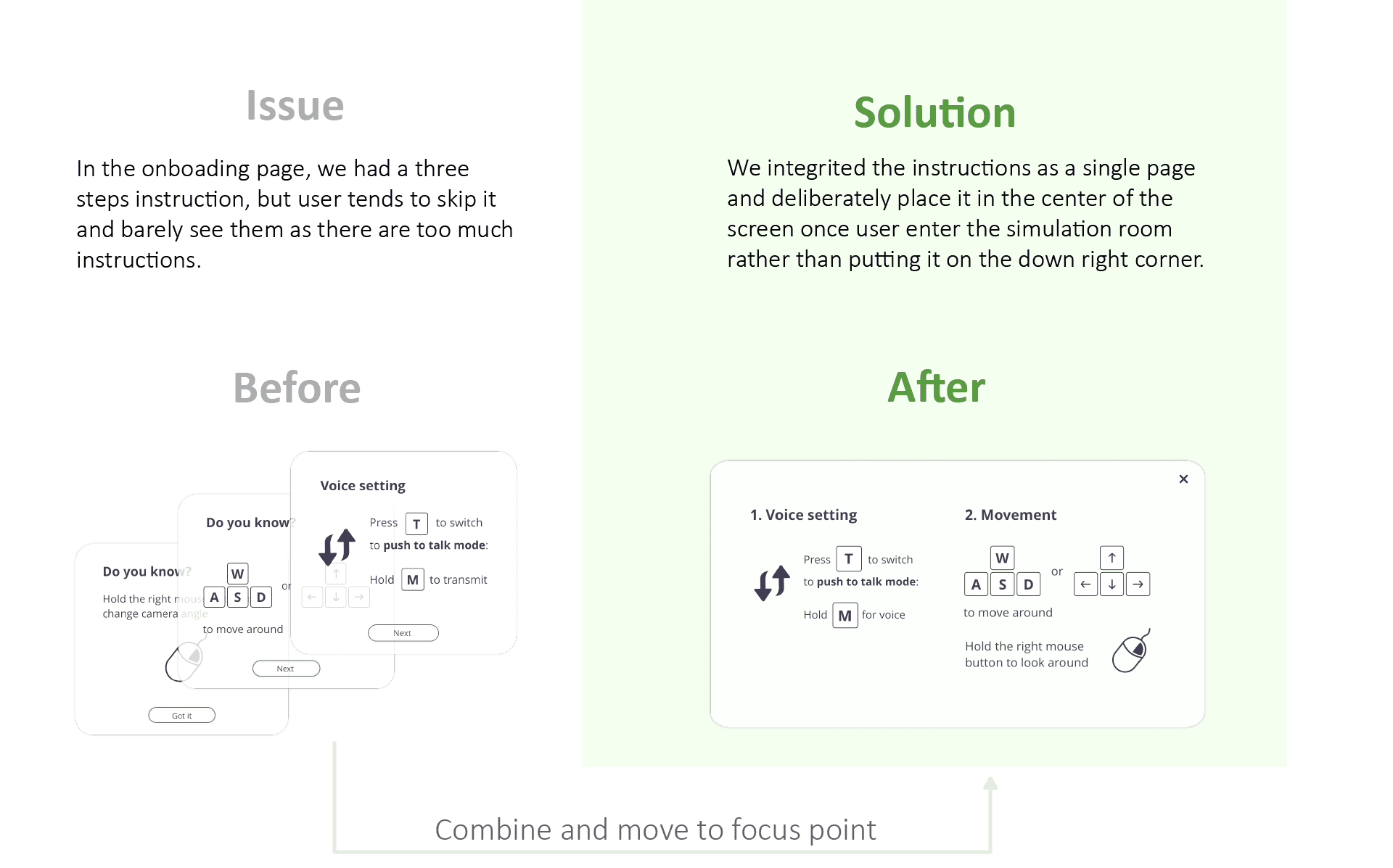
Issues and design iteration
Future consideration
Accurate data display
Some of the assumptions we have made are fairly simplified and most likely do not model the human body accurately. As the application is for educational purpose, it is vital to make the data as accurate as possible.
VR implementation
Put emergency room into a virtual reality space can be a huge impact to increase the sense of reality and tensity. Further, since user can also move around to explore the environment, it may help the user to experience the space better which can be a enormous benefit in real workflow.